Junior Game Engineer

redm – what is it?

Powered by Cfx.re, RedM is a modification for the single-player game Red Dead Redemption 2. This modification allows players to run dedicated servers with a focus on multiplayer elements – enabling us to create our own unique experiences within a dedicated server.

Involving languages such as Lua and C#, developers are able to create their own scripts within Rockstar’s game engine that was built for Red Dead Redemption 2. From implementing completely custom inventory systems, to editing the game assets themselves and turning them into something completely different— we are given a lot of freedom, but are of course restricted when it comes to the modding of Red Dead Redemption 2.


custom SCRIPTS

For the past two years, getting into RedM is something I’ve committed almost all of my time to outside of finishing my Bachelor’s degree. I have been a developer in several communities, working on implementing custom game systems, working on team-based projects, debugging server and script issues, and managing the development direction of those servers.

I have not only made my own scripts for these servers and their needs, but too I’ve managed to create my own 3D models and textures that are implemented into Red Dead Redemption 2’s game engine. From custom horse models, textures, and ped components— it is an ever-evolving door I’m always opening.

Herbalism Script

Language: LUA

Gameplay Focus: Custom XP system, player levels, spawning of composite and prop components, inventory management

Description: This script is a full-stack client-sided and server-sided herbalism system, where it manages herb spawning, collection detection, inventory rewards and input, and persistant player progression. While not stated, in the config.lua it uses herb zones across the entire map using vector3() coordinates.

This script ties in with the database to track player levels, progression, and zone cooldowns to ensure players do not exploit each zone.

client.lua
Lua
-- Reverse map item -> composite for lookup from config
local itemToComposite = {}
for comp, item in pairs(compositeToItem) do
if item ~= nil and item ~= "" and itemToComposite[item] == nil then
itemToComposite[item] = comp
end
end
-- Build spawn points from Config.Herbs: each coord within a zone becomes its own spawn point
-- Each spawn point has its own cooldown and set of spawned herbs
local herbSpawnPoints = {}
local spawnPointId = 0
for zoneIdx, entry in pairs(HerbsConfig) do
if entry.coords and entry.items then
for coordIdx, coord in ipairs(entry.coords) do
spawnPointId = spawnPointId + 1
-- Handle both vector3 and vector4 (just use x, y, z)
local center = vector3(coord.x, coord.y, coord.z)
herbSpawnPoints[#herbSpawnPoints + 1] = {
id = spawnPointId,
zoneId = zoneIdx,
zoneName = entry.name or ("Zone " .. zoneIdx),
coordIndex = coordIdx,
center = center,
items = entry.items,
scenarios = {}, -- { {id=..., coords=vector3(...), item=..., entity=...} }
inside = false,
lastPickTime = nil, -- Track when player last picked from this spawn point
}
end
end
end

This first snippet of code is to show how our script does a look up, and builds a spawn-point list used in the herbalism system.
itemToComposite is a reverse map of compositeToItem – so the script is able to go quickly from an item name (the config.lua file) back to it’s composite definition.
From here, it creates the herbSpawnPoints from Config.Herbs, where each coordinate becomes its own independent spawn point.
Metadata is stored for every spawn coordinate: id, zoneId, zoneName, coordIndex, center, and items.

client.lua
Lua
-- Spawns a composite within a radius around center (vector3)
function spawnCompositeInRadius(compositeName, center, radius)
local compositeHash = GetHashKey(compositeName)
Citizen.InvokeNative(0x73F0D0327BFA0812, compositeHash) -- _REQUEST_HERB_COMPOSITE_ASSET
local loopCounter = 0
while not Citizen.InvokeNative(0x5E5D96BE25E9DF68, compositeHash) and loopCounter < 500 do -- ARE_COMPOSITE_LOOTABLE_ENTITY_DEF_ASSETS_LOADED
loopCounter = loopCounter + 1
Citizen.Wait(0)
end
if not Citizen.InvokeNative(0x5E5D96BE25E9DF68, compositeHash) then
return false
end
local angle = math.random() * 2 * math.pi
local dist = math.random() * radius
local sx = center.x + math.cos(angle) * dist
local sy = center.y + math.sin(angle) * dist
local sz = center.z + 1.0
-- try to get a valid ground Z (returns boolean, z)
local found, groundZ = GetGroundZFor_3dCoord(sx, sy, sz + 5.0, false)
if found and groundZ then sz = groundZ end
-- _CREATE_HERB_COMPOSITES
local scenarioId = Citizen.InvokeNative(0x5B4BBE80AD5972DC, compositeHash, sx, sy, sz, 0.0, 0, Citizen.PointerValueInt(), -1, Citizen.ReturnResultAnyway())
-- Wait for entity to spawn (composites can take a moment to appear)
Citizen.Wait(200)
local spawnCoords = vector3(sx, sy, sz)
local herbEntity = findPickupEntityNear(spawnCoords, 5.0)
return scenarioId, spawnCoords, herbEntity
end
-- pickin herbs
Citizen.CreateThread(function()
while true do
Citizen.Wait(200) -- Check frequently for detection
for _, spawnPoint in ipairs(herbSpawnPoints) do
for i = #spawnPoint.scenarios, 1, -1 do
local scen = spawnPoint.scenarios[i]
if scen then
local herbPicked = false
-- Check if the tracked entity no longer exists
if scen.entity and scen.entity ~= 0 then
if not DoesEntityExist(scen.entity) then
herbPicked = true
end
end
if herbPicked then
-- Native pickup occurred - add herb to inventory
local item = scen.item or ""
if item ~= "" then
TriggerServerEvent("shroomfen_herbalism:addHerb", item, 1)
print("[shroomfen_herbalism] Picked: " .. item .. " from " .. spawnPoint.zoneName .. " #" .. spawnPoint.coordIndex)
end
-- Clean up scenario if it still exists
if scen.id and scen.id ~= 0 then
Citizen.InvokeNative(0x5758B1EE0C3FD4AC, scen.id, 0)
end
table.remove(spawnPoint.scenarios, i)
-- Set cooldown timer when picking from this specific spawn point
spawnPoint.lastPickTime = GetGameTimer()
end
end
end
end
end
end)

This second snippet of code displays the core herb-spawning and collecting loop.
spawnCompositeInRadius() requests and loads an herb asset, picks a random point within the spawn zone radius (which is also set in client.lua), snaps it to the ground height, spawns the herb composite, and then returns the scenario/entity.
On pickup, it sens a server event to grant the item in the player’s inventory, logs the pickup, and removes the spawned scenario (aka herb prop).

Horse Stable Script

Language: LUA

Gameplay Focus: Ped modification, custom gameplay system, player interactions, rule-based ped AI behavior

Description: This custom stable script is a take on the original Red Dead Redemption 2 stable system, except it has been expanded upon to add equestrian elements to it that the original game does not have. With this system, the horses have been designed and coded to be given personalities, metabolism, an XP-based leveling system, custom training system, and dynamic interactions with the player. It utilizes Jump On Studio’s custom library – where we’ve had to learn this through documentation, but allows us to write cleaner code.

This script ties in with the database to track everything about the player’s horse – and even goes as far as storing tint hashing, state bags, and each coat the horse is given.

Note: We have integrated custom coat textures onto the server this script is implemented on, and we have made our own custom coat templates to which are stored in the database. Along with custom blender models for some of the horse ped drawable models.

client.lua
Lua
-------------
-- Background threads: apply personality behaviors to current mount
-------------
local function ResolveCurrentHorse()
local ped = (jo and jo.me and DoesEntityExist(jo.me) and jo.me) or PlayerPedId()
local horse = 0
if IsPedOnMount(ped) then
if GetCurrentMount then horse = GetCurrentMount(ped) end
if (not horse or horse == 0) and GetMount then
horse = GetMount(ped)
end
end
if (not horse or horse == 0) and GetLedHorseFromPed then
horse = GetLedHorseFromPed(ped)
end
if horse and horse ~= 0 and DoesEntityExist(horse) then
return horse, ped
end
return nil, ped
end
local function GetCurrentMountPersonalityFlags()
local horse = ResolveCurrentHorse()
if not horse then return nil, nil end
local horseID = Entity(horse).state and Entity(horse).state.kd_stable_horseID
if not horseID then return nil, horse end
local personalityId = nil
if myHorses then
personalityId = myHorses[horseID] and myHorses[horseID].personality
or myHorses[tostring(horseID)] and myHorses[tostring(horseID)].personality
end
if not personalityId and playerHorsesSpawned and playerHorsesSpawned[horse] then
personalityId = playerHorsesSpawned[horse].personality
end
if not personalityId and Entity(horse).state and Entity(horse).state.kd_stable_horsePersonality then
personalityId = Entity(horse).state.kd_stable_horsePersonality
end
-- Sync to state for future lookups (helps when myHorses/playerHorsesSpawned are stale).
if personalityId and Entity(horse).state and not Entity(horse).state.kd_stable_horsePersonality then
Entity(horse).state:set("kd_stable_horsePersonality", personalityId, true)
end
if not personalityId or not Config.personalities or not Config.personalities.presets or not Config.personalities.presets[personalityId] then return nil, horse end
local flags = Config.personalities.presets[personalityId].flags
-- When mood is Hesitant or below, personality does not take full effect
if GetMoodForHorse and Config.metabolism then
local mood = GetMoodForHorse(horse)
if mood and mood <= 2 then
flags = {
-- Keep manual kick availability from preset even at low mood.
kick = flags.kick == true,
noFlee = false,
noBuck = false,
skipCommands = true,
alwaysObey = false,
alert = false,
loyal = false,
defend = false,
gluttony = false,
affectionate = false,
wander = false,
buckPassengerOnly = false,
}
end
end
return flags, horse
end

This first snippet of code is to show how the custom personality system is applied to a horse.
It first finds whether the horse is mounted or being lead by the player, and is able to find the personality that is cached from the horse’s entity state – and returns that preset’s behavior flags.
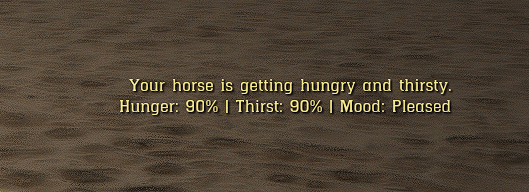
There is also integration into the metabolism system, where if the horse’s mood is below a level 2, it will temporarily suppress all personality behavior.

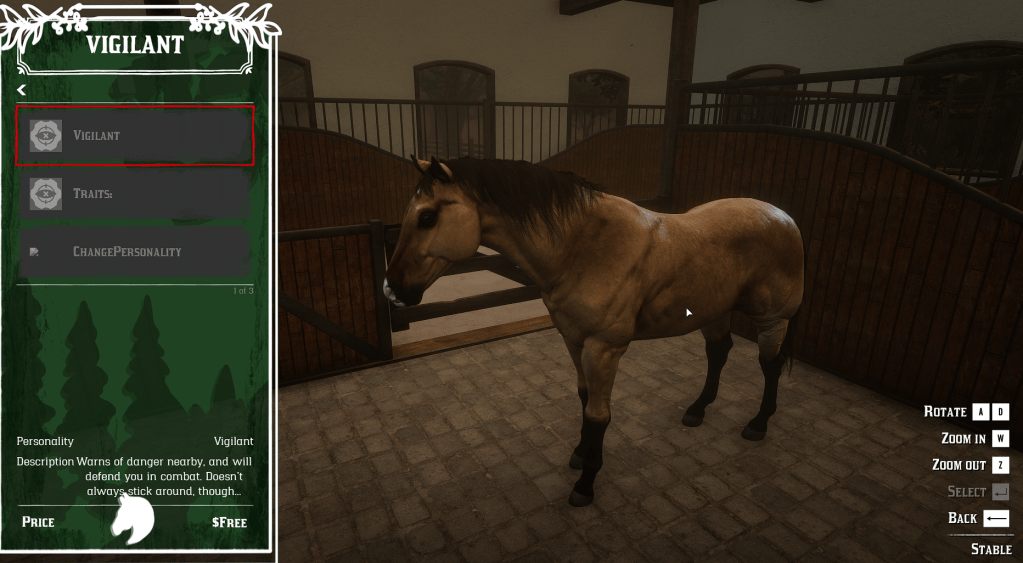
Below are screenshots of what the in-game UI shows for a personality, and the metabolism notification a player gets for a horse’s mood.

client.lua
Lua
-- Apply coat from config based on stored coat index and optional custom tints
function ApplyHorseCoat(horse, horseData)
if not DoesEntityExist(horse) then return end
local horseConfig = GetHorseConfigForModel(horseData.model)
local coatComp = horseData.components and horseData.components.horse_coat
local coatEntry = nil
if horseConfig and horseConfig.coats then
if coatComp and coatComp.coatName and #coatComp.coatName > 0 then
local coatNameLower = (coatComp.coatName or ""):lower()
for _, entry in ipairs(horseConfig.coats) do
local entryName = entry.name or entry.template
if entryName and (entryName == coatComp.coatName or entryName:lower() == coatNameLower) then
coatEntry = entry
break
end
end
end
end
if not coatEntry and coatComp and coatComp.coatName and #coatComp.coatName > 0 then
coatEntry = FindGlobalCoatEntryByTemplateName(coatComp.coatName)
end
if not coatEntry and horseConfig and horseConfig.coats and #horseConfig.coats > 0 and coatComp then
local coatIndex = tonumber(coatComp.coatIndex or coatComp.hash) or 1
if coatIndex >= 1 and coatIndex <= #horseConfig.coats then
coatEntry = horseConfig.coats[coatIndex]
end
end
if not coatEntry and horseConfig and horseConfig.coats and #horseConfig.coats > 0 then
coatEntry = horseConfig.coats[1]
end
if coatEntry then
local coat = ResolveCoat(coatEntry, coatComp)
if coat then
local isMarwari = IsMarwariModel(horseData.model) or IsMarwariModel(GetEntityModel(horse))
AdjustHeadCoatForAltHead(coat, isMarwari)
if coat.head then
SetMetaPedTag(
horse,
joaat(coat.head.category),
joaat(coat.head.albedo),
joaat(coat.head.normal),
joaat(coat.head.material),
joaat(coat.head.palette),
coat.head.tintR or coat.head.tint0 or 0,
coat.head.tintG or coat.head.tint1 or 0,
coat.head.tintB or coat.head.tint2 or 0
)
end
if coat.body then
SetMetaPedTag(
horse,
joaat(coat.body.category),
joaat(coat.body.albedo),
joaat(coat.body.normal),
joaat(coat.body.material),
joaat(coat.body.palette),
coat.body.tintR or coat.body.tint0 or 0,
coat.body.tintG or coat.body.tint1 or 0,
coat.body.tintB or coat.body.tint2 or 0
)
end
UpdatePedVariation(horse)
Wait(100)
UpdatePedVariation(horse)
end
end
-- Apply eye color (horse_eyes) when stored
if horseData.components and horseData.components.horse_eyes then
applyHorseEyes(horse, horseData.components.horse_eyes.eyeIndex or 0)
end
end

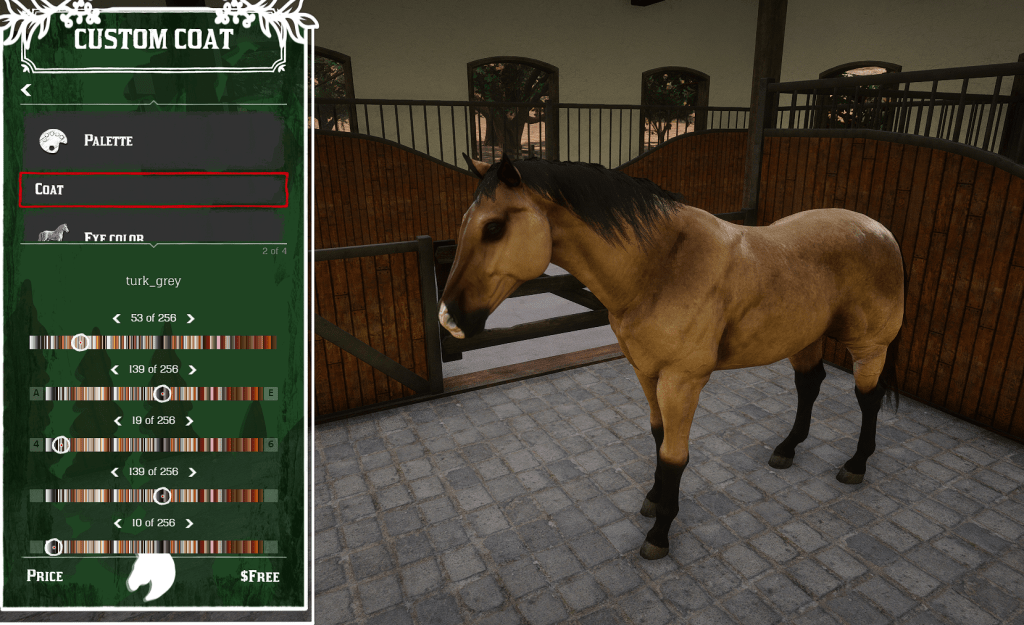
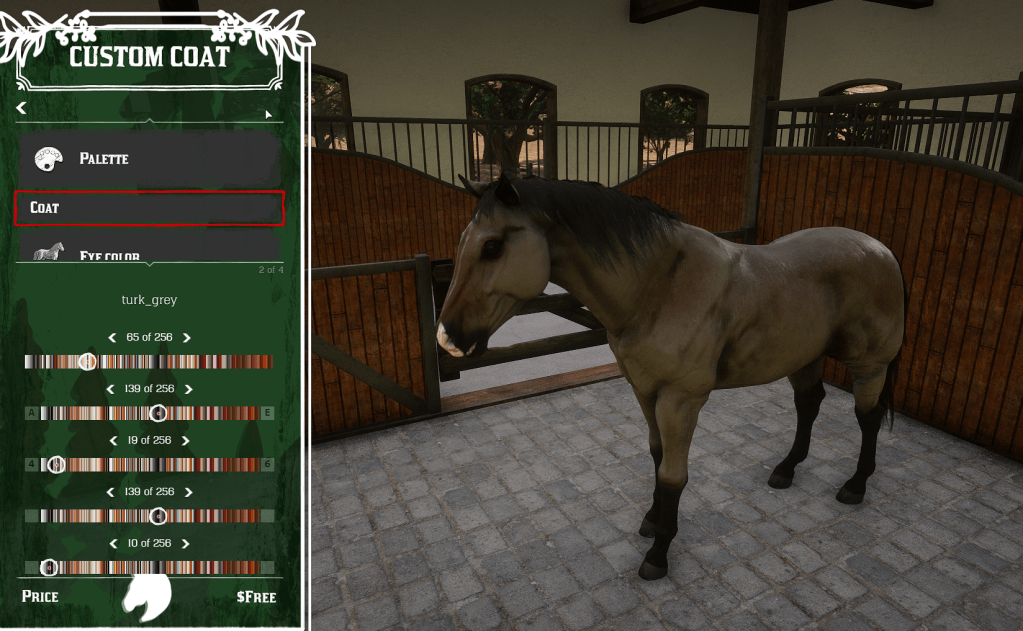
This second snippet of code is able to choose and apply the tinting of a horse’s coat.
For textures in RDR2, they are given albedo textures which we are able to manipulate and tint through the 255 range of RGB values given in the game engine.
It validates the horse entity first, acquires the coat data from the config.lua we have, and is able to apply the tints through the SetMetaPedTag native.

Below are screenshots of what this looks like in-game when a player is customizing their horse, and applying the tints in real time.

Custom Drawable Models

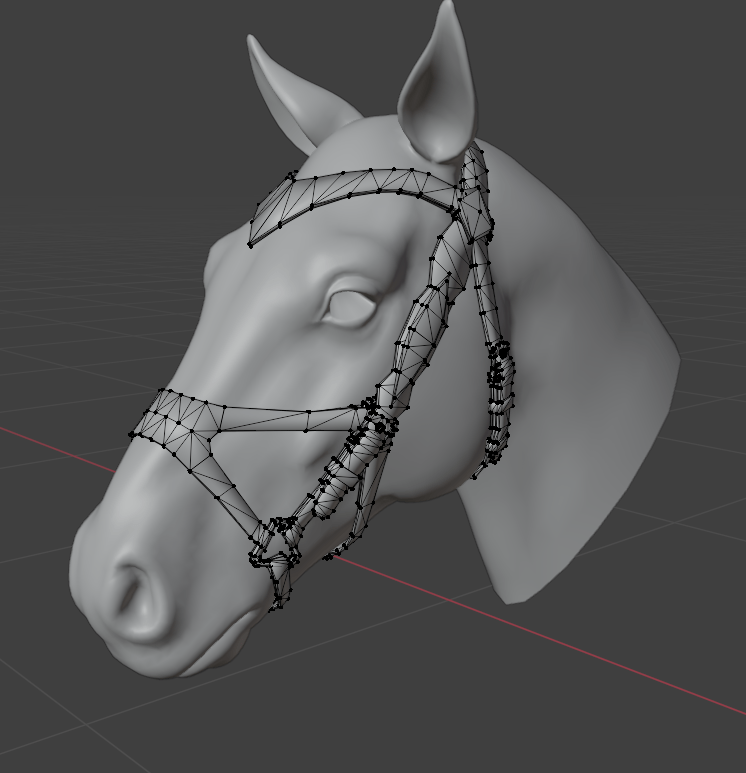
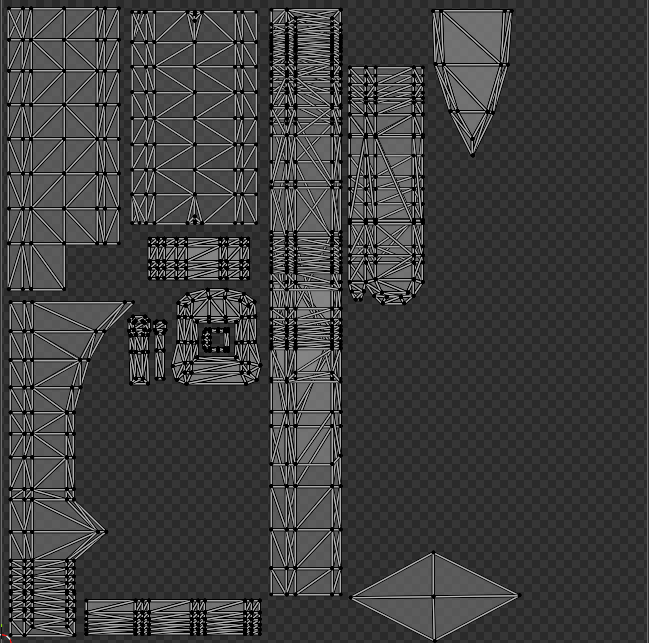
This is a custom bridle model, and the texture mapping of the vertices.

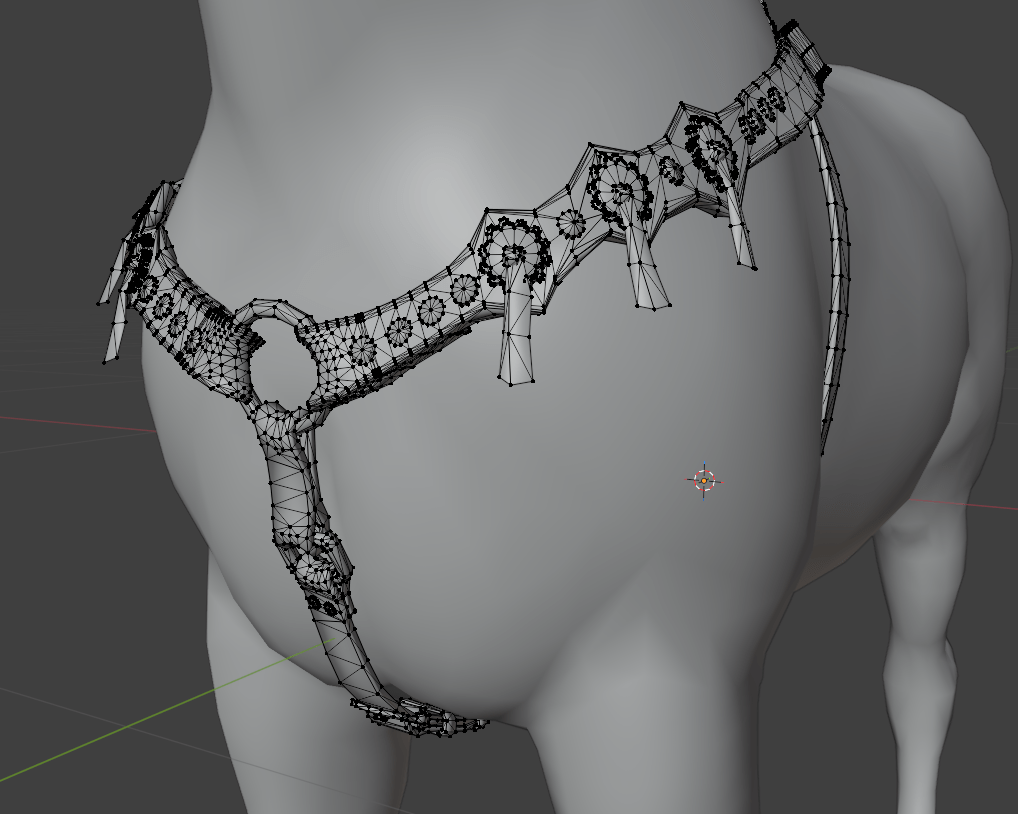
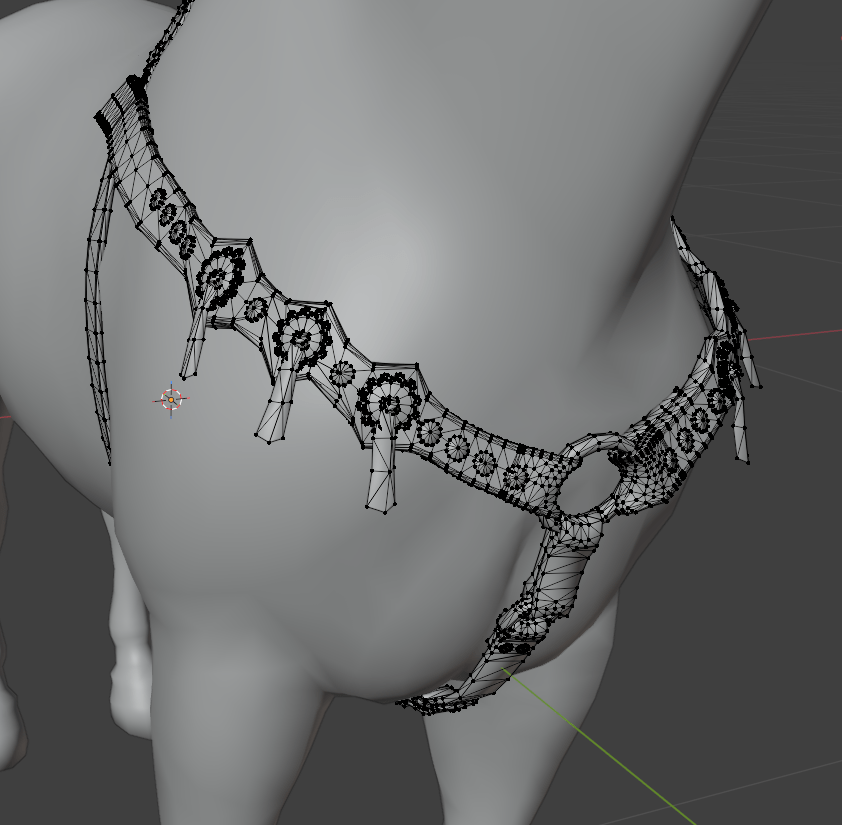
This is a custom, western harness model.

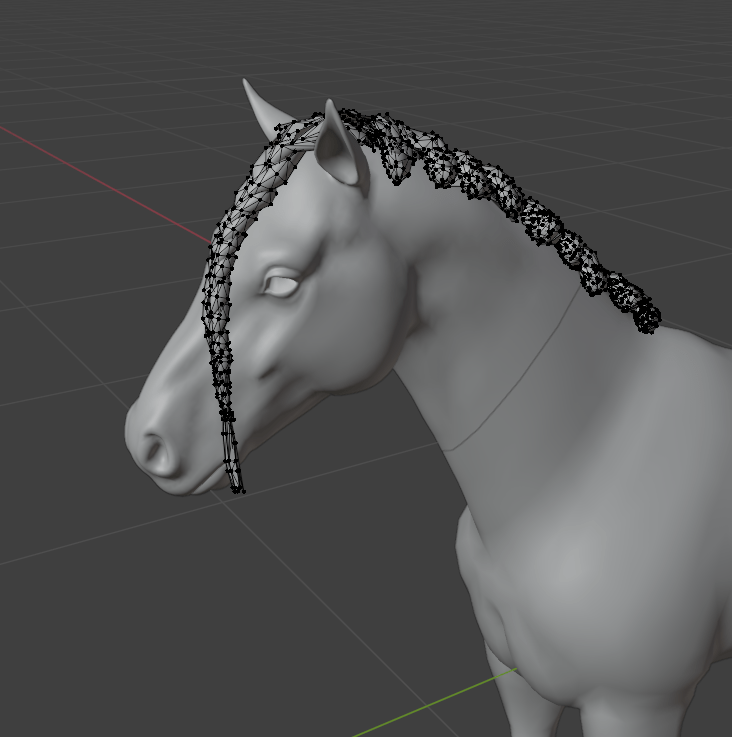
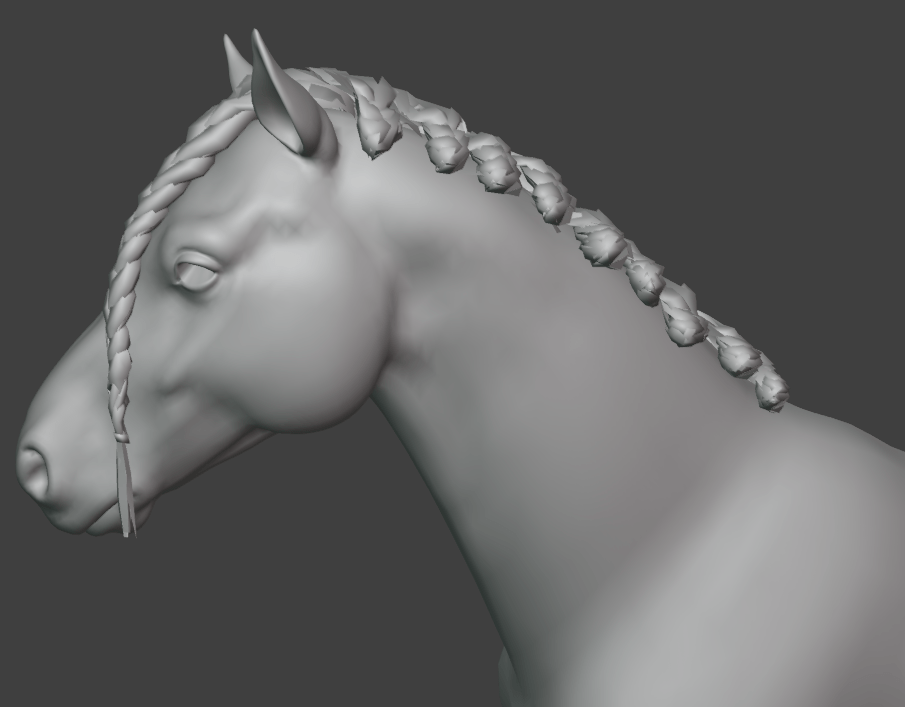
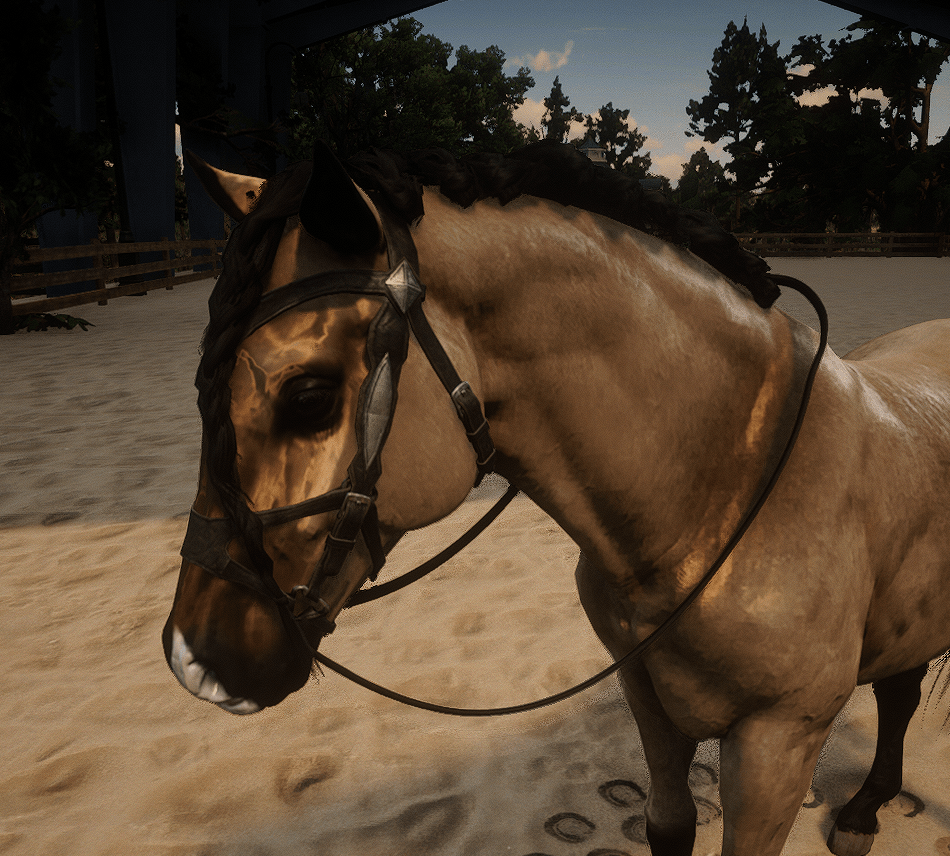
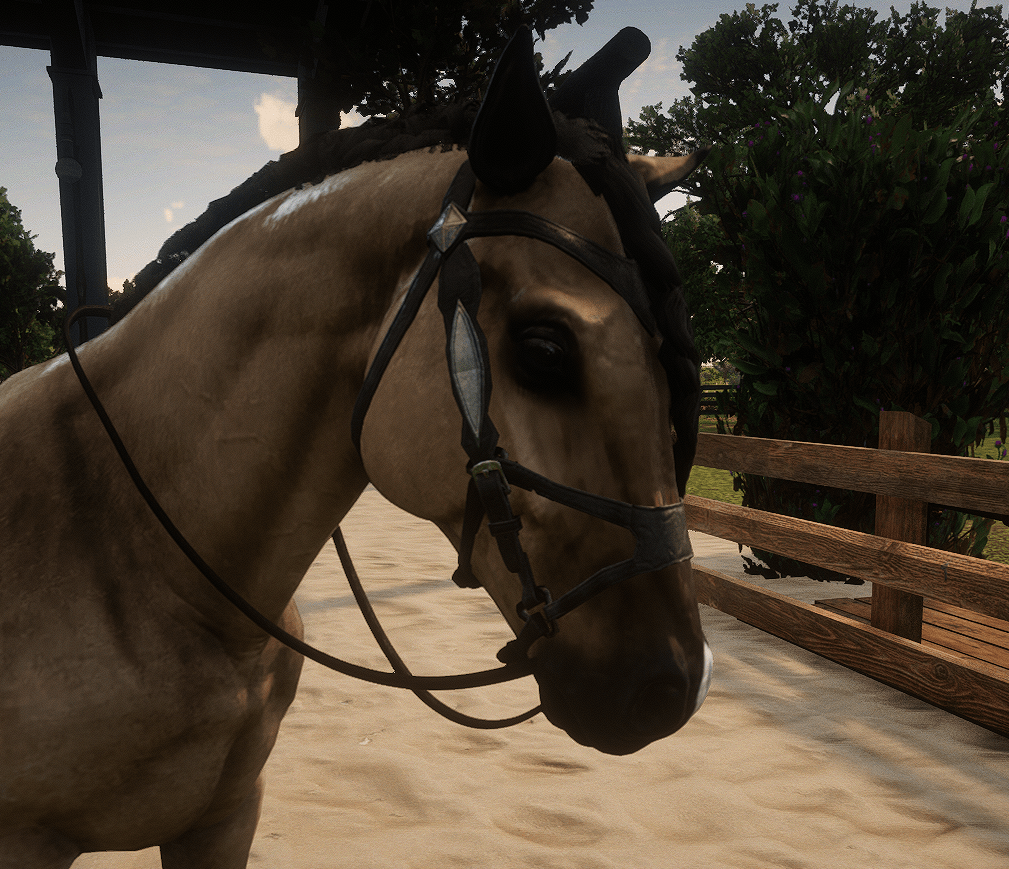
This is a custom mane model that introduces a new mane type for the player’s to equip on their horse.

Below are pictures of what each look like rendered in-game with their custom textures.